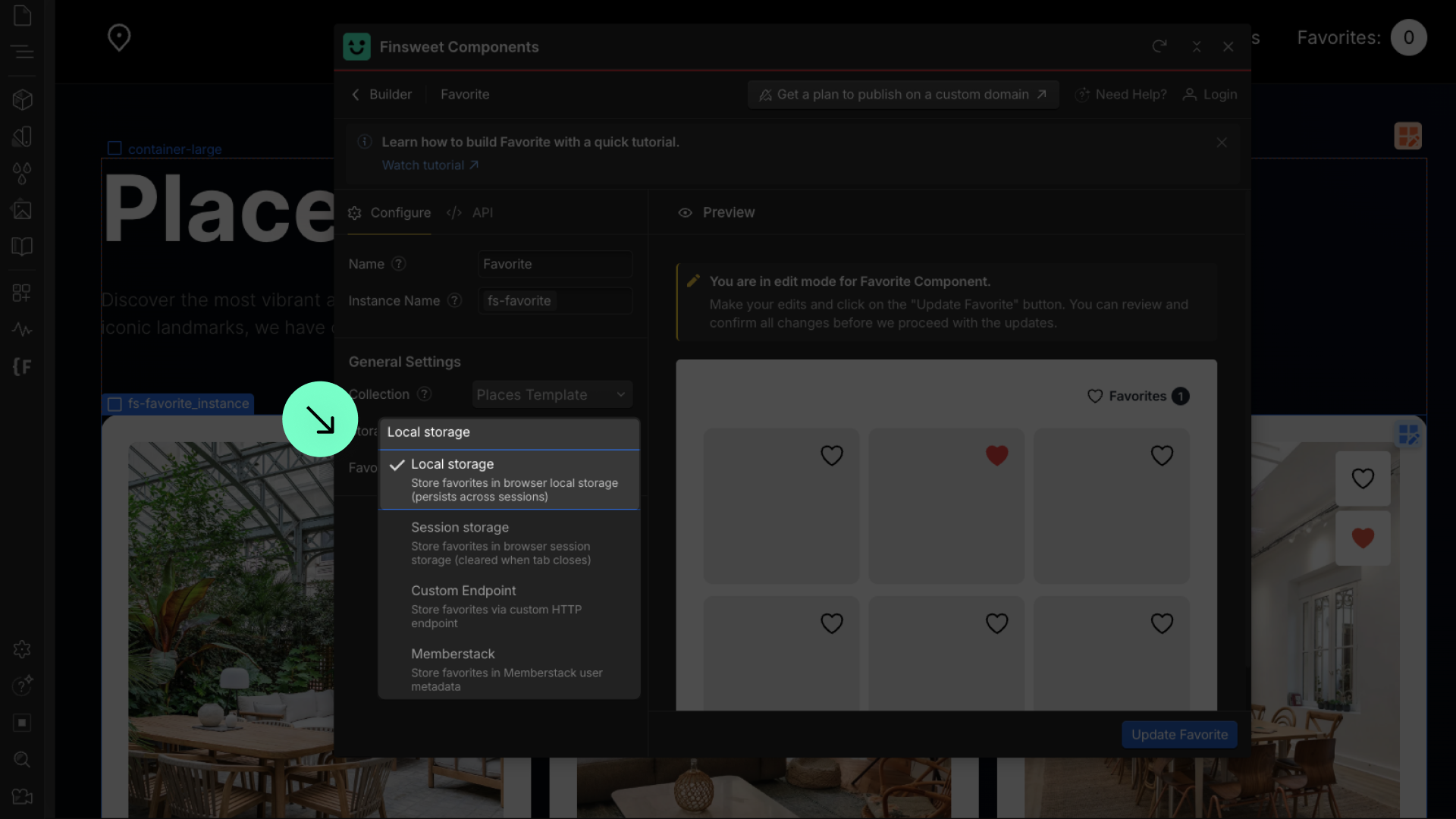
About Storage

Define how the user’s favorite items will be stored.

Local Storage

You can choose Local Storage as your storage
Do not remove the attributes added to the generated elements. If you remove them, the Favorite functionality will stop working.

Session Storage

You can choose Session Storage as your storage

You can save favorites only for the current session on the current device. Everything is cleared when the user closes the browser, making it temporary storage.

Memberstack

You can choose Memberstack if you want to persist favorites across devices and analyze user favorites data.

1

Before you begin

What you'll need

  • A Memberstack account

What you'll do

  • Head over to Memberstack
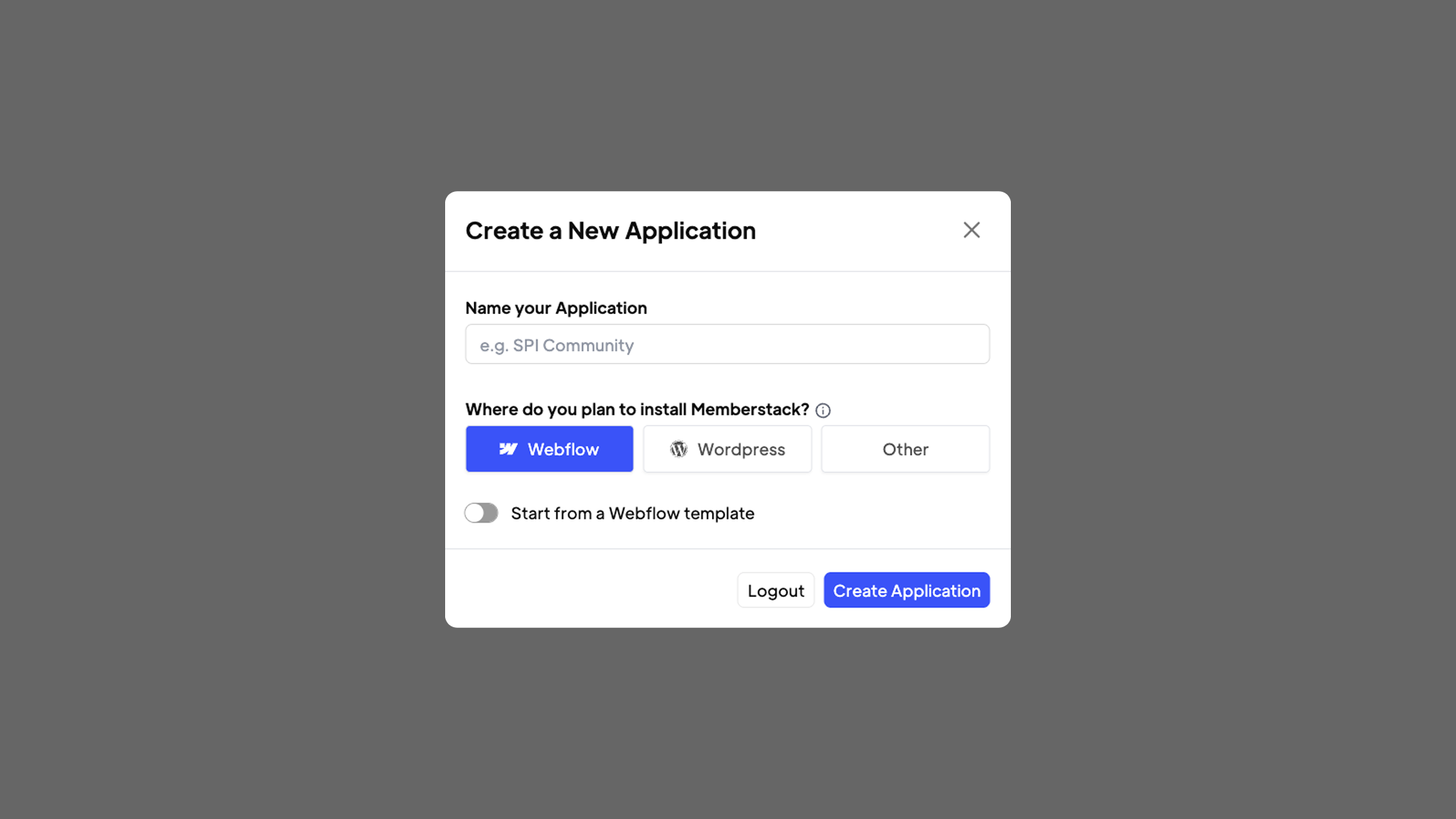
  • Create a New Application
  • Install Memberstack script
  • Add members and manage data
2

Head over to Memberstack

  1. Go to www.memberstack.com
  2. Create New Application
3

Install Memberstack script

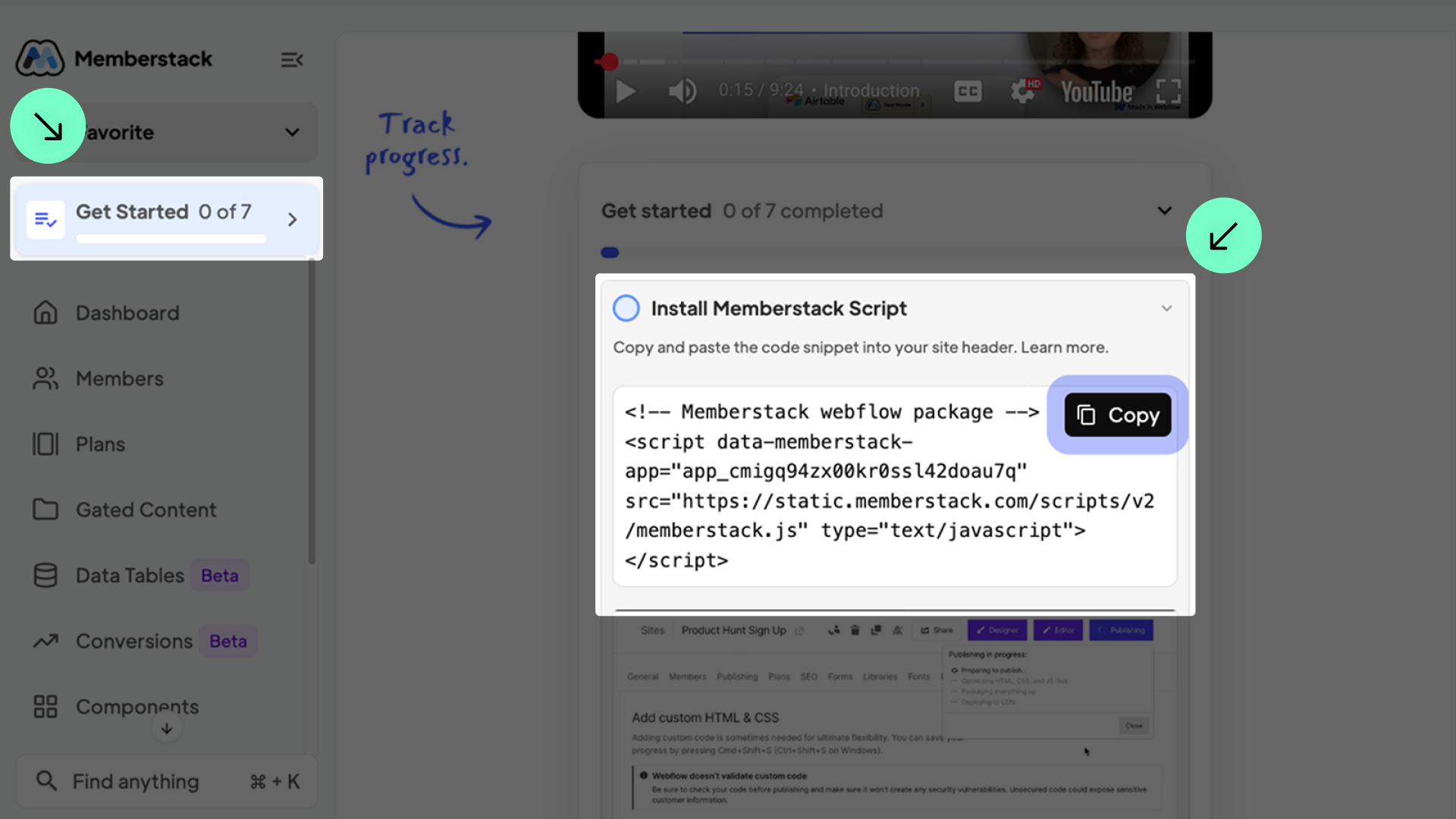
  1. Click "Get Started" and copy the script
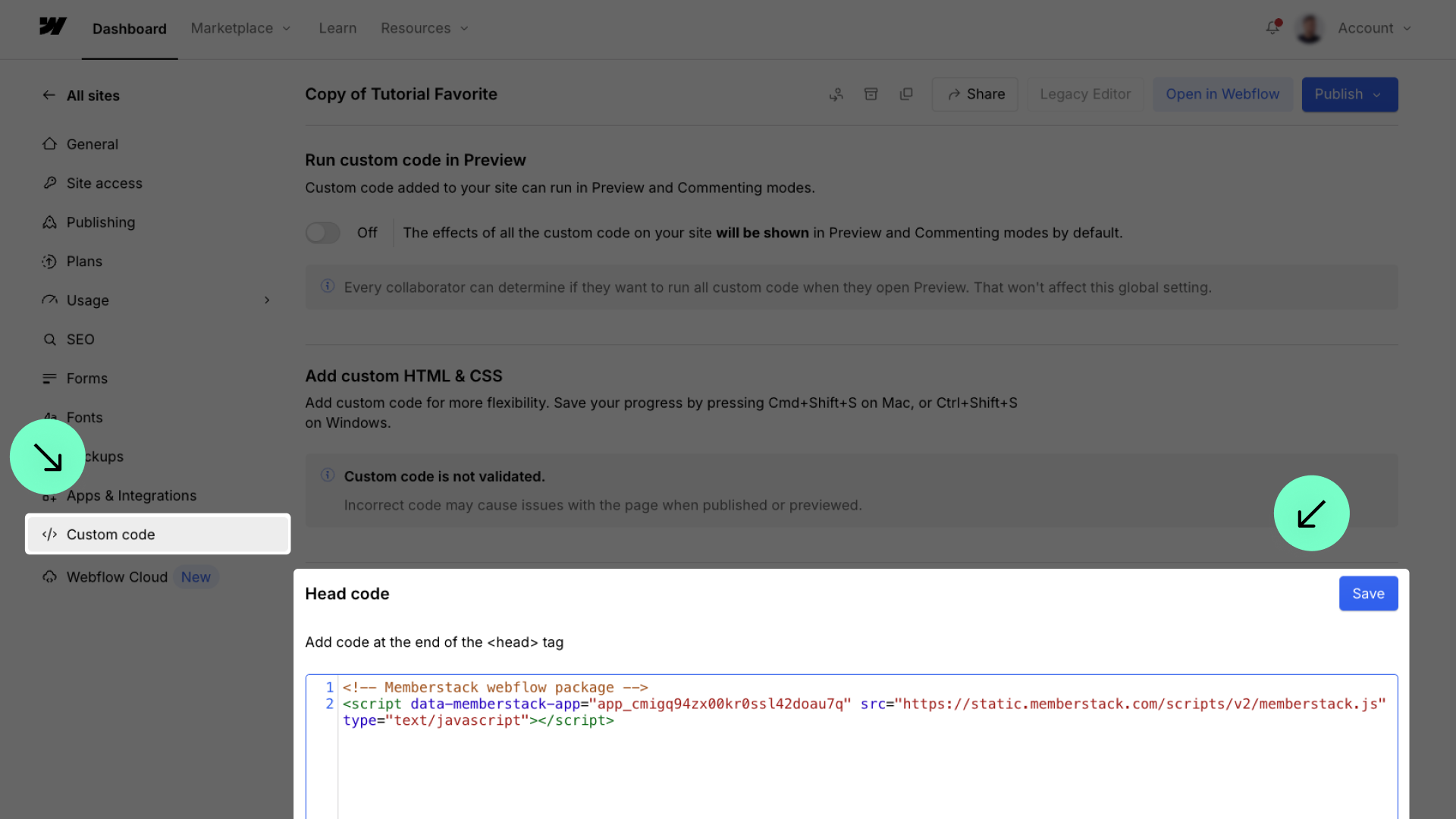
  1. Go to the project settings in Webflow, click on custom code, and add the script to the head code
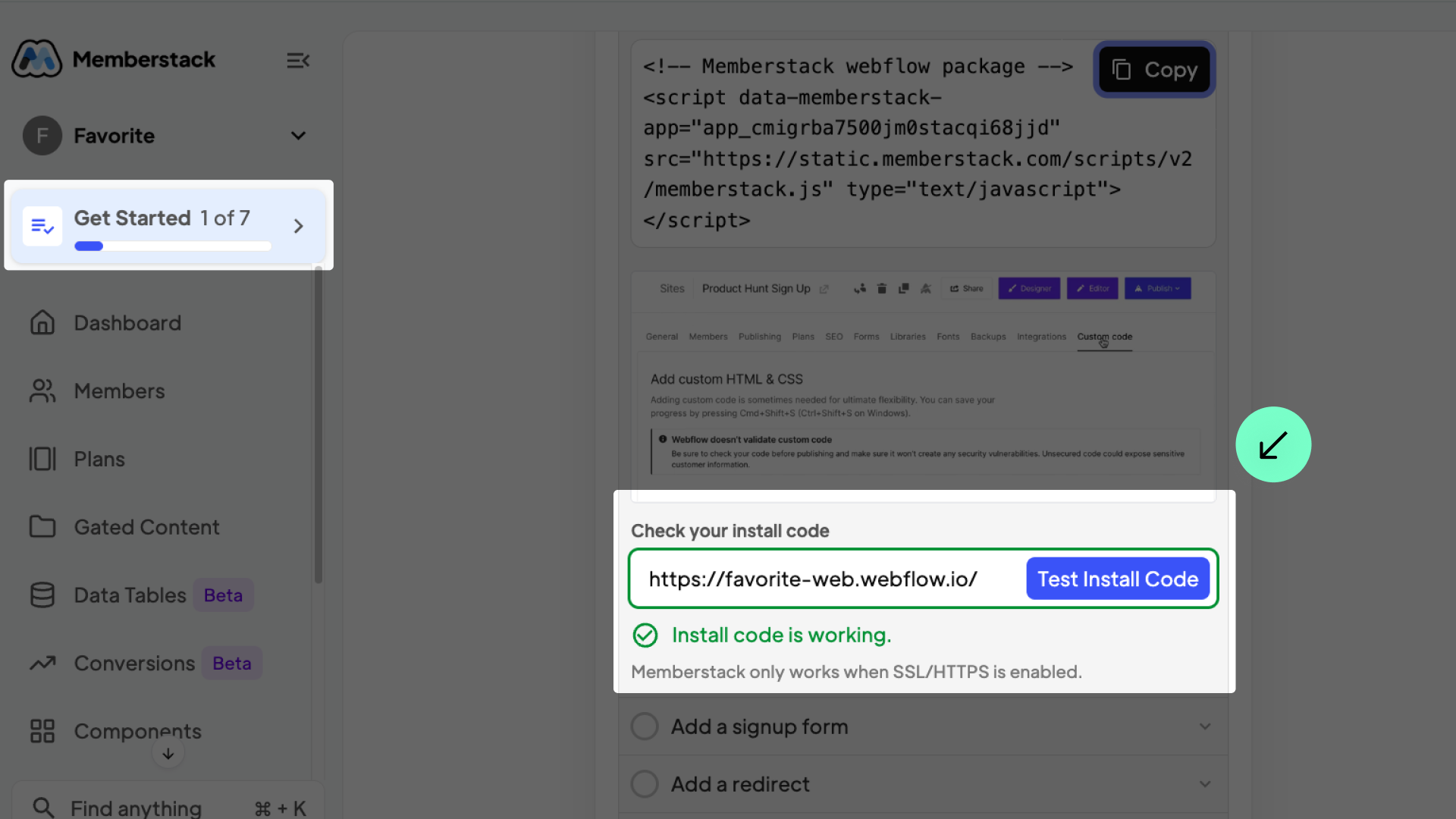
  1. Copy the URL of your project and paste it into "check your install code"
4

Add members and manage data

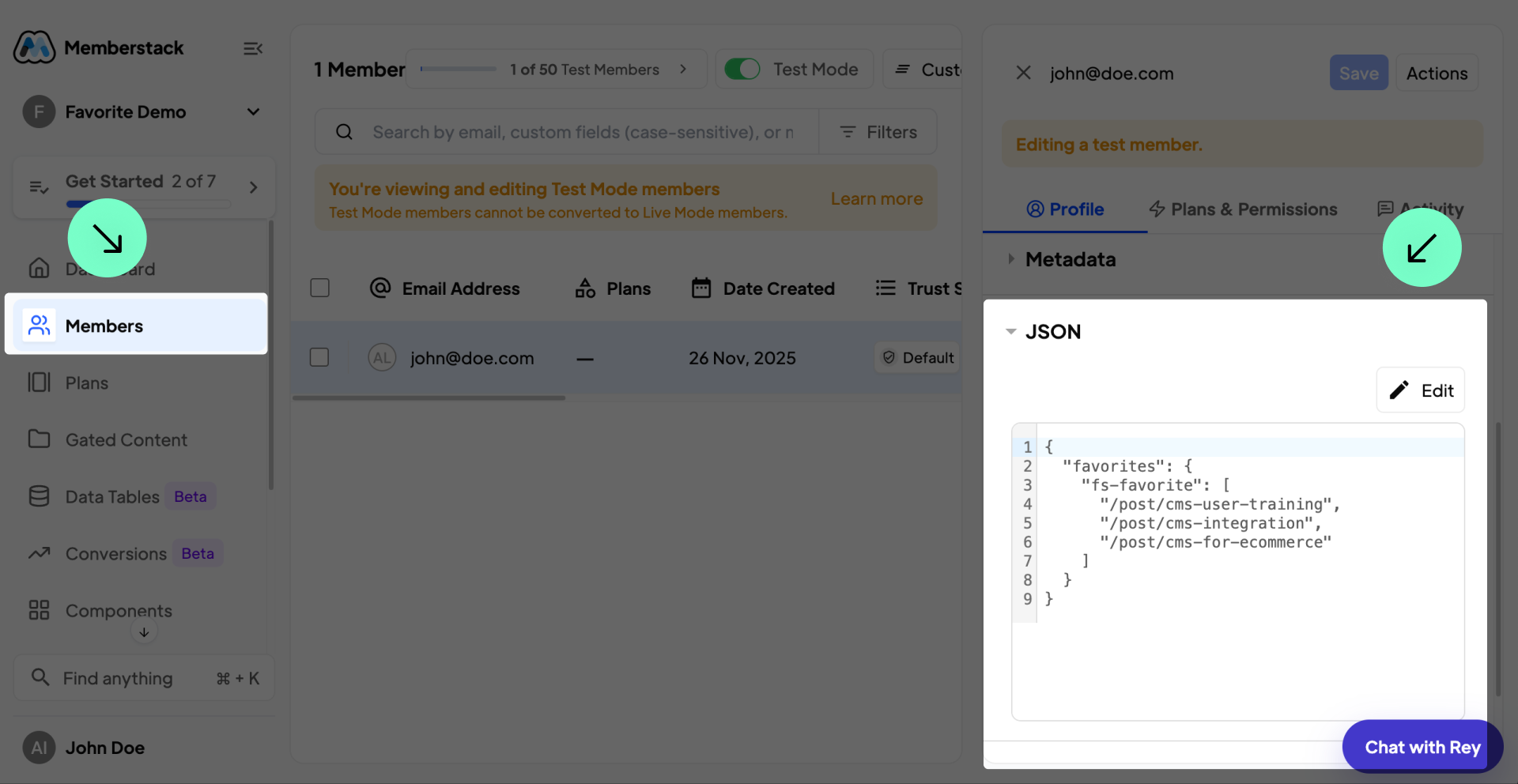
  1. Click on "Members" and then on "Add Member"
  1. In JSON, it is possible to view the stored data

Custom Endpoint

Sends requests to your configured endpoint (e.g., https://example.com).

Loading Favorites (GET)

The Component loads the user’s favorites by sending a GET request to your endpoint, including a
?instance=INSTANCE_NAME query parameter. Your server must return an object containing an array of favorited item slugs:

Expected response shape:

type CustomEndpointLoadResponse = {
favorites: string [];
}

Example response:

{
"favorites": ["blog/post-1", "blog/post-2"]
}

Saving Favorites (POST)

To store updates, the Component sends a POST request containing the instance name and the full array of favorites.

Payload format:

type CustomEndpointSavePayload = {
instance: string;
favorites: string [];
}

Example payload:

{
"instance": "fs-favorite",
"favorites": ["blog/post-1", "blog/post-2"]
}

CORS & Credentials

All requests are performed with credentials: 'include'. If your endpoint is on a different origin, the server must return the appropriate CORS headers, including:

  • Access-Control-Allow-Origin
  • Access-Control-Allow-Credentials